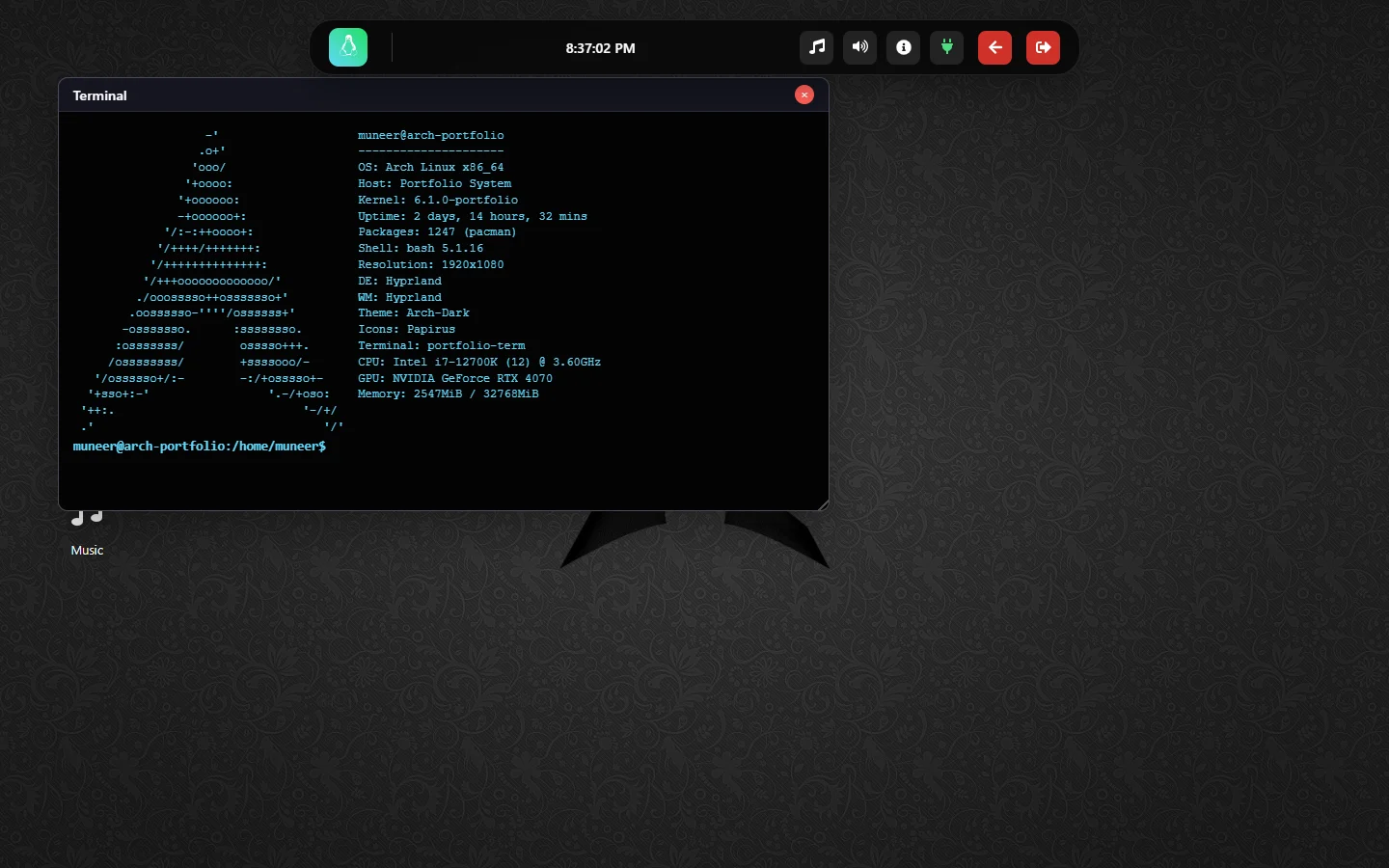
Open my previous portfolio and a terminal is already waiting on an Arch-inspired desktop. There are windows to move, files to browse, an editor to type into and music controls in the dock. On a phone, the same idea becomes a smaller Pocket interface.
That interface is a project in its own right. The current portfolio gives the writing and engineering stories a more direct home; the earlier one preserves another way of representing the person behind them.
A desktop made of browser state
This is a React simulation, not Linux running in a virtual machine or a shell connected to a server. Its windows are objects with positions, dimensions and stacking order. Bringing a window forward changes that order. Dragging or resizing it updates the state the browser renders.
Those mechanics are familiar enough to disappear when they work. They also make a useful interface exercise: opening, focusing, closing and moving separate applications requires a small window manager, even when the “operating system” is a web page.
The desktop applications include Terminal, Files, Text Editor, Browser, Music and Image Viewer. Heavier views are lazy-loaded. The terminal starts with a neofetch-style display; the themed hardware and kernel strings belong to the simulation rather than a measurement of the visitor’s computer.
Give a command somewhere to go
Typing ls, cd or cat would feel hollow without a filesystem behind it. A static directory description builds a Linux-like tree under /home/muneer. Terminal commands and the file manager then navigate that representation.
The text editor adds another layer. Documents created or edited in the browser are kept in local storage and merged back into the tree when it loads. Saving a file changes the local simulation; it does not write to a server directory or silently publish a new version of the portfolio.
Browser applications
    ├── window state: position, size, focus
    ├── virtual files: static tree + local documents
    └── audio state: registered players + active controls
The music manager coordinates separate players and dock controls so opening another window does not make the meaning of “pause” ambiguous. The browser application has its own history and GitHub-backed views; it is not an unrestricted browser inside the browser.
A phone deserves its own interaction
Shrinking the desktop until its windows fit would preserve the appearance at the expense of using it. Below the desktop breakpoint, the Pocket interface provides a lock screen and seven focused apps: Terminal, Projects, Skills, Experience, CV and Contact, plus About.
App navigation uses browser history, and session state lets a refresh return to the current view. That is a different interaction built from the same personal material, with the desktop metaphor translated rather than merely compressed.
Restoring the open door
The repository history begins in May 2025. A later update inserted an overview page ahead of the simulation. Restoring the earlier direct feel meant removing that intermediate page and starting with the desktop immediately, while keeping optional simulated logout and login available as part of the desktop.
The restoration also preserves the Pocket lock screen, applications, original media and local files. A startup guard prevents React’s development effect replay from opening the initial terminal twice. Tablet entry is checked at the actual boundary between the two interfaces.
Two portfolios, two invitations
The current site is where I would send someone who wants to understand the work quickly. The Arch portfolio is an invitation to explore how I approached a familiar interaction from an unfamiliar direction.
Open the preserved simulation or inspect its source. It is part of the same development journey, still usable, with its own personality intact.
Code & further reading
Written by Muneer Alam · Reviewed 1 November 2026